Data Deletion Instructions for IG Live Count
IG Live Count” (developed by Code Vibe Studio) is a WordPress plugin designed to seamlessly display your Instagram follower count. We prioritize your privacy. Our plugin acts as a bridge between your website and Instagram, and we do not store your personal data on any of our central servers.
However, if you want to revoke our app’s access and delete any connection data stored locally on your WordPress site, please follow the simple methods below:
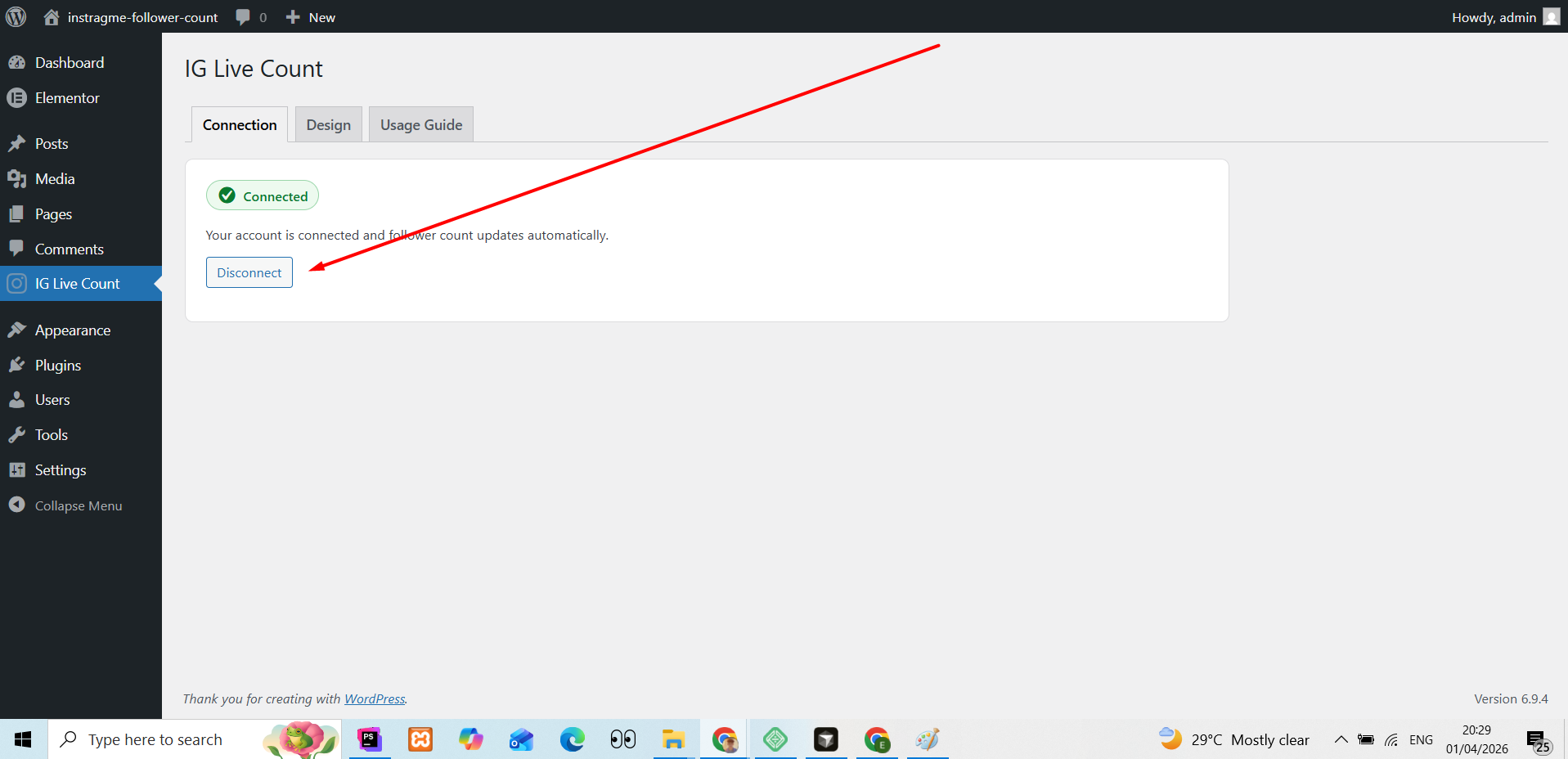
Method 1: Disconnect directly from your WordPress Dashboard (Recommended)
The easiest and quickest way to remove your data is right from your website’s admin area.
-
Log in to your WordPress Admin Dashboard.
-
From the left-hand menu, click on “IG Live Count”.
-
Go to the “Connection” tab.
-
You will see your connection status. Simply click the “Disconnect” button.
-
Once clicked, your Instagram account will be completely unlinked, and all associated authentication data will be instantly deleted from your website’s database.
Method 2: Remove the App via Instagram Settings
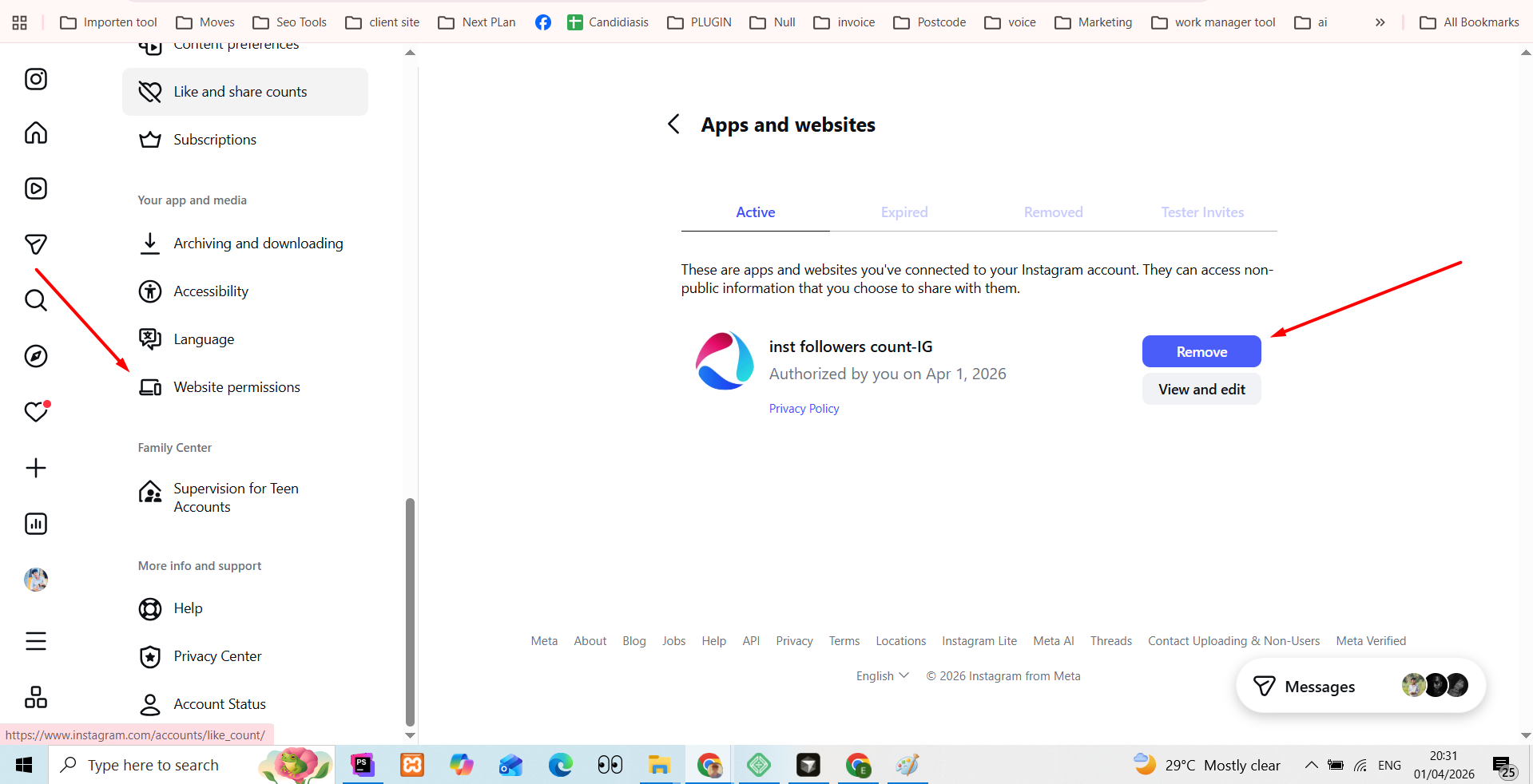
You can also revoke our plugin’s access directly from your Instagram account. This will instantly sever the connection from Meta’s side.
-
Open the Instagram app or log in to
instagram.comon your browser. -
Go to your profile and click on the Settings gear icon (or the three horizontal lines menu).
-
Select “Apps and Websites” (This may be located inside the “Accounts Center” depending on your device).
-
Click on the “Active” tab to see apps connected to your account.
-
Find our app named “inst followers count” in the list.
-
Click “Remove” and confirm your choice. The connection will be permanently terminated.
Method 3: Request Manual Data Deletion
Since your data is stored on your own WordPress site and not on our servers, disconnecting via Method 1 or 2 is usually sufficient. However, if you require further assistance or want us to manually verify the deletion of any residual support requests, you can contact us directly.
-
Email: info@codevibestudio.com
-
Subject Line: Data Deletion Request – IG Live Count
-
Please include: Your website URL where the plugin was installed.
We will process your request and respond within 3-5 business days confirming that no data remains on our end.